

Live Chat vs. Messaging
Enchant messenger allows your customers to chat with your team in one of two ways:
Live Chat or Messaging
In both cases, customers start a conversation right from your widget - the difference is in how (and when) you reply. This article breaks down how each one behaves, so you can pick the best fit for your team.
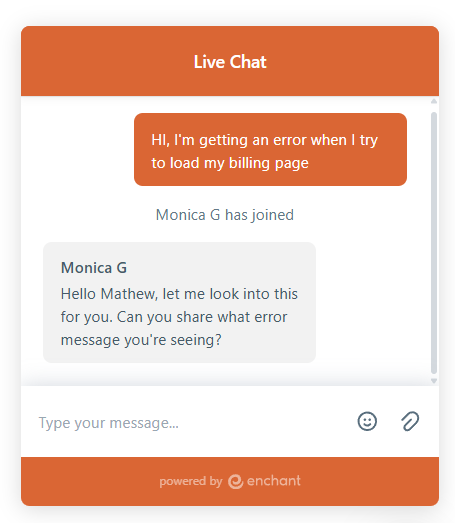
Live Chat connects your customer directly with an agent who's online right now, for a back-and-forth conversation in real time.
New chats play a ringing sound for the team members who are online.
If no agents are available, the messenger shows a contact form to the customer.
Chat ends when the agent clicks "End Chat" to mark the end of the conversation or when either agent or the customer goes offline.
Live chat tickets show up in standard folders with a live indicator and also in the live panel for quick access.
Customers receive a chat transcript of their conversation as an email that they can reply to.
AI Agent can be configured to step in only when no agents are available, or to always handle the new chats first.
It works best for urgent situations, sales questions, or any time you want to provide instant hands-on help, for example, on a checkout page.
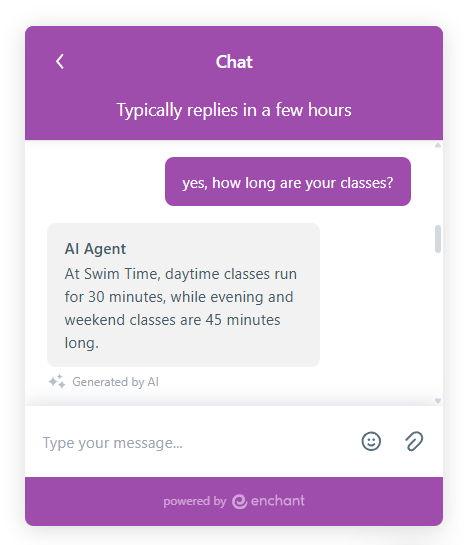
Messaging works more like customers sending a text message from your site or app - no agents have to be online for a customer to reach out.
New chats simply show up as unassigned chat tickets in your standard folders (no sounds or presence in the live panel).
Your team can set the expected reply time which is shown to the customer so they know when to expect a response.
Customer can go away and come back later to website or app to see your team's response in the messenger.
If the customer has left the messenger, then an email is sent to notify them and bring them back to the messenger.
AI Agent can be configured to be automatically assigned to the new chats.
Choose this option if you want to be easy to reach, without demanding your customer's full attention in the moment. It's a great fit for teams that can't staff a live chat all day, for questions that benefit from a bit of research before replying, or customers spread across time zones.
Enchant is flexible and designed to grow to meet your needs.
Your team can start with Messaging and switch to Live Chat once you can staff it full-time. Or use one messenger with live chat for sales/leads on your website and another messenger with Messaging mode to manage support in your app.
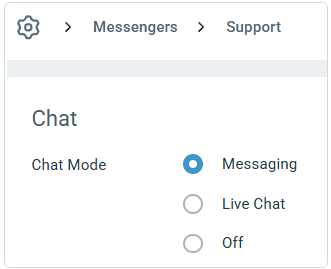
You can change modes at any time from your messenger's settings.